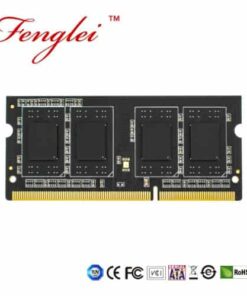


When buying memory modules, we often see options for a single 16GB module or a kit of two 8GB modules. Even though the capacities are the same, businesses set this distinction to cater to those preparing for dual-channel memory in their computers. So, what is dual-channel? And what benefits does setting up dual-channel bring? Today, we will explain in detail.

Principle of Dual-Channel Memory
The main reason for choosing two memory modules to form a dual-channel configuration is to leverage the benefits of dual-channel memory bandwidth. But why does dual-channel memory bring greater performance benefits? We need to understand the concepts of bit width and bandwidth. To illustrate, let’s use a road as a data transmission channel and vehicles as data. The efficiency of road traffic is influenced by two factors: vehicle speed and road width, represented by the number of lanes.
In a computer system, data transmission between two devices also occurs through a channel, known as the bus. The speed limitation of the bus is determined by its frequency. A higher frequency results in faster data transmission, while a lower frequency leads to slower transmission. Therefore, we can liken frequency to a speed limit on the bus lane, and bit width corresponds to the number of lanes. The more lanes there are, the higher the road’s traffic capacity. In terms of the bus, a higher bit width indicates a wider bus, which translates to stronger data transmission capabilities.
To measure the bus’s data transmission capacity, we look at how much data it can transmit in a unit of time. For example, with PCIe 3.0 x1, it can transmit 1GB (985MB) of data within a second, resulting in a bandwidth of 1GB (985MB) per second.
Once we understand the relationship between frequency, bit width, and bandwidth, we also need to know the formula for calculating memory bandwidth: Memory Bandwidth = Memory Core Frequency x Memory Bus Bit Width x Multiplier.
The memory bus bit width is what constitutes the concept of dual-channel memory. When you have only one memory module, the CPU can only interact with that single module when running a program. However, with two memory modules, the CPU can simultaneously exchange data with both modules. In this scenario, the pathway from the CPU to the memory transforms from a single channel to a dual-channel configuration.
To illustrate, when you run a software program on your computer, with a single memory module, all of the program’s data resides within that module. On the other hand, if you have two memory modules, the computer divides the software’s data, storing half in each memory module. Consequently, when the CPU reads memory data, it can retrieve data from both modules simultaneously. As a result of the doubling of the bit width, the memory speed also doubles. Therefore, dual-channel memory effectively doubles the bit width, subsequently doubling the overall memory transfer bandwidth and ultimately enhancing memory performance.

How to Set Up Dual-Channel Memory?
The ability to configure dual-channel memory depends on the Integrated Memory Controller (IMC) within the CPU, which determines whether you can utilize 2, 4, or 8 memory slots on the motherboard. IMC, or Memory Control Bus, typically supports dual-channel memory for consumer-grade CPUs. Consequently, using 4 memory slots and installing either 4x4GB or 2x8GB modules will yield the same outcome.
However, when manually overclocking, the quantity of memory can impact the stability of the overclock. Some motherboards perform better with two memory modules, while others excel with four. This variability is influenced by the motherboard’s wiring layout.
So, how do we set up dual-channel memory? It’s straightforward with two memory slots – one module gives you a single channel and two modules create a dual channel. For systems with four memory slots, slots 1 and 2 form one channel, and slots 3 and 4 constitute the other. To enable dual-channel, you would insert a memory module into slots 1 and 2, and another into slots 3 and 4. However, for stability, it’s preferable to prioritize slots 2 and 4. This choice is also influenced by the motherboard’s layout.

Advantages of Dual Channel Memory
- Enhanced Memory Bandwidth: One of the primary advantages of Dual Channel Memory is the substantial increase in memory bandwidth. By allowing data to be transmitted across two channels simultaneously, the system can access information more quickly, reducing potential bottlenecks and ensuring smoother multitasking.
- Improved System Responsiveness: Dual Channel Memory doesn’t just enhance raw data transfer – it also contributes to improved system responsiveness. Faster data access means that applications load quicker, and you experience a more fluid and responsive computing experience.
- Better Multitasking Abilities: In today’s fast-paced digital landscape, multitasking has become second nature. Dual Channel Memory empowers your computer to handle multiple tasks with ease, enabling seamless switching between applications and minimizing lag.
- Gaming Performance Boost: For gamers, every millisecond matters. Dual Channel Memory can provide a noticeable performance boost in gaming, reducing stuttering, and enhancing overall frame rates. This advantage can mean the difference between victory and defeat in competitive gaming scenarios.
- Creative Work Efficiency: Creatives, rejoice! Dual Channel Memory accelerates memory-intensive tasks like video editing, graphic design, and 3D rendering. With the increased memory bandwidth, you’ll experience shorter render times and smoother workflow, allowing you to focus on unleashing your creative potential.
- Future-Proofing Your System: Investing in Dual Channel Memory is a step towards future-proofing your computer. As software and applications become more demanding, having a memory configuration that can handle the load ensures that your system remains relevant and capable for years to come.

Asymmetric Dual-Channel Memory
Additionally, there is another question: Can memory modules of different capacities be used to form a dual-channel configuration? The answer is: yes, it’s possible. However, it’s important to note that this type of asymmetric dual-channel setup follows the principle of a ‘barrel effect.’ For instance, when pairing 4GB and 8GB memory modules in a dual-channel configuration, the entire 4GB module and the first half of the 8GB module operate in dual-channel mode, while the latter half of the 8GB module remains in a single-channel way.
When setting up an asymmetric dual-channel configuration with four memory modules, the arrangement becomes even more significant. For instance, with two 4GB and two 8GB memory modules, where slots 1 and 2 form the first channel, and slots 3 and 4 form the second channel, the arrangement matters. If you use sequence 4488, only 16GB will be in dual-channel mode – 8GB from the first channel and 8GB from the second. However, if you arrange them as 4848, 8484, or 4884, where both channels provide 12GB each, then the entire 24GB of memory will operate in dual-channel mode.

Conclusion: Dual-Channel Memory
Lastly, what practical benefits does setting up dual-channel memory bring? This involves discussing the relationship between the CPU and memory data interaction. When memory bandwidth is doubled, the efficiency of data exchange between the CPU and memory improves. Since all programs, including the operating system, temporarily reside in memory while the computer is running, doubling memory speed would generally enhance virtually all operations on your computer. Although the impact on everyday tasks might not be immediately apparent, it can make a significant difference when running large software applications or playing graphics-intensive games. For instance, in gaming, the most noticeable improvement comes in the form of increased frame rates, resulting in a smoother gameplay experience.

Frequently Asked Questions (FAQs)
- Is Dual Channel Memory compatible with all motherboards?
- While Dual Channel Memory is widely supported, it’s crucial to consult your motherboard’s manual and compatibility list to ensure proper configuration.
- Can I mix different memory modules for Dual Channel Memory?
- It’s recommended to use identical memory modules for Dual Channel configuration to ensure optimal performance.
- Does Dual Channel Memory improve gaming performance on all titles?
- While Dual Channel Memory can improve gaming performance in most titles, the extent of improvement may vary based on the game’s demands.
- Can I enable Dual Channel Memory on a pre-built computer?
- In most cases, you can enable Dual Channel Memory on a pre-built computer as long as the motherboard supports it and has available memory slots.
- What is the impact of Dual Channel Memory on power consumption?
- While Dual Channel Memory may consume slightly more power than Single Channel, the difference is usually negligible and shouldn’t be a significant concern.

Related Reading:
- NVIDIA AI SSDs: The Next Major NAND Flash Supply Crisis
- How Rare Earth Materials Influence Chip Development
- Key Differences in Three Silicon Wafer Orientations
- Why Do GPUs Have 3 DP Ports but Only 1 HDMI Port?
- Key Duties of Equipment Engineers in Semiconductor Fabs
- How Electroplating Supports Advanced Chip Packaging?
- How Megasonic Waves Are Made in Wafer Cleaners?
- Micron Exits MLC Market, Flash Memory Prices Soaring
- How to Add XP Shared Printer to Windows 7 Network?
- New Metamaterials Pave Way for Flexible Computer Chips
- Understanding MOSFET: Design, Function and Uses
- 128 bit OS: Why It’s Not Common in Computers Today
- PCIe 7.0 Final Draft Is Out—SSDs Must Wait 3 Years
- Apple Moves from 3nm to 2nm in Upcoming iPhone 18
- TI New MCU: Just 1.38mm² but Packed with Power!
- MSI RTX 5090 Recall? Fire Hazard Rumors Explained!
- Stock Up Now! 2025 DDR and SSD Prices Increase in March
- Major DRAM Makers Halt DDR4 Production, Taiwan Rejoices
- Understanding How CPU Works Without a Start Location
- CES 2025: Raspberry Pi 5 16GB Version Coming Soon
- South Korea Sets Record in 2024 Chip Export Growth
- Apple AI Tech Boom, Market Value Nears $4 Trillion
- Micron Stock Drops 16% After Gloomy DRAM Market Outlook
- Why Did Phones Remove the 3.5mm Headphone Jack?
- Exploring Why Server CPUs Use Hundreds of Powerful Cores
- ASML Sues 3 People Over Massive Chip Technology Leak
- Google Faces Monopoly Verdict, DOJ Demands Chrome Sale
- Why Did the RMVB Format Disappear? The Simple Reason
- TSMC Wins Record $6.6B Under U.S. CHIP Act Program
- Limit iPhone Charging to 80% for Better Battery Life
- Powerchip Explains Reasons for Not Collaborating with SBI
- First Raspberry Pi SSD: Compact M.2 2230, PCIe 3.0 Ready
- TSMC 2nm Plant: Fatal Accident Leads to Immediate Closure
- HOW TO PHYSICALLY DISTINGUISH MEMORY MODULES BY VOLTAGE?
- 2048-Bit HBM4 Stack: Supercharged Performance
- AI Security Threats: Can Humans Keep Secrets?
- Unveiling 24TB WD Red Pro: Optimal NAS Storage Solution
- iFixit Steam Deck Repair Kit: SSD and Fan Upgrades
- No USB Needed: Windows Nearby Sharing Feature!
- SK hynix GDDR7 Breaks Speed Records with 60% Increase
- NVIDIA H100 Trains Llama3 40.5B Parameters: 3-Hour Error
- Apple Users Beware: Malware Targeting Mac Devices